
iPhone & iPad
- Open golfers-den.com/app in Safari.
- Tap the Share button at the bottom of the screen.
- Scroll down and tap Add to Home Screen.
- Tap Add. Done!
Put Golfer's Den on your home screen. Book a bay, check if we're open, log in to your membership and get directions — no App Store, no download, free.
On a computer? Open golfers-den.com/app on your phone, or email yourself the link.
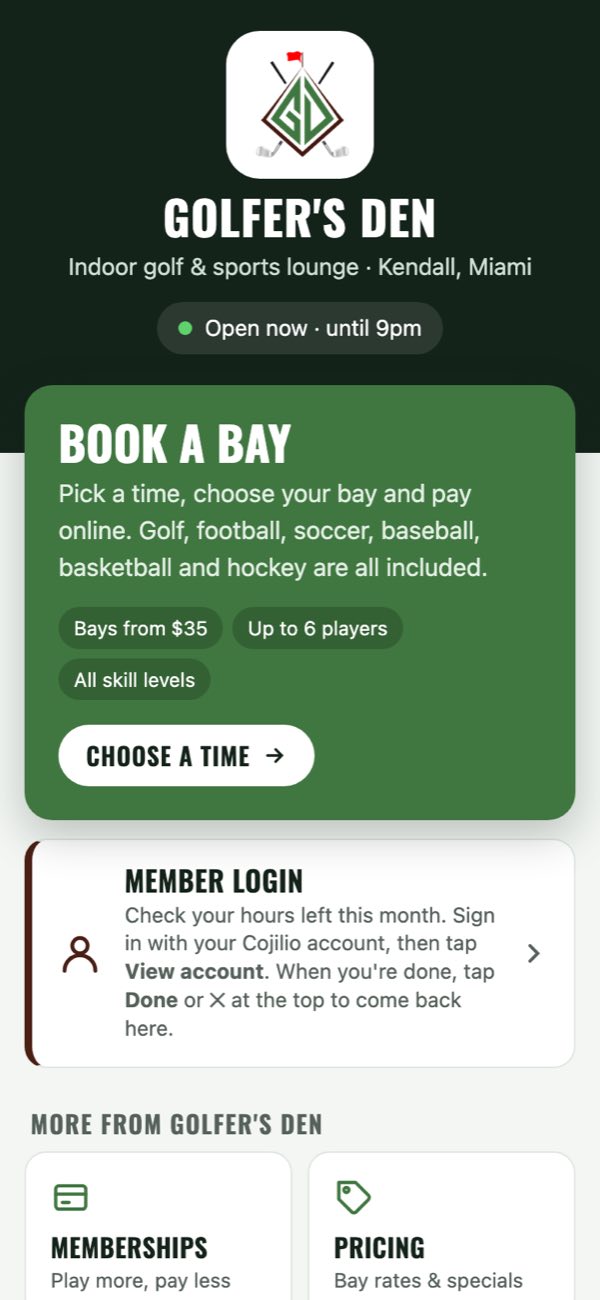
Everything you need before and during your visit, one tap from your home screen.
Pick a time, choose your bay and pay online in under a minute.
See at a glance if we're open right now and when we close.
Members can check how many hours they have left this month.
Bay rates, membership plans and specials.
Book a lesson or start planning a party or corporate outing.
Send a digital gift card in a few taps.
Call the front desk or open directions in Maps.
The app opens even without signal; booking just needs a connection.
Takes about 10 seconds. It appears with the Golfer's Den logo, just like any other app.
Yes. It's free, and there's nothing to download from the App Store or Google Play. You add it straight from your phone's browser.
Barely. It's tiny compared to a normal app and updates itself automatically.
No account is needed to open the app. Booking a bay and the member login use your Cojilio booking account, the same one you use on our website.
Nothing to do. Every time you open it with a connection, it loads the latest hours, prices and links.